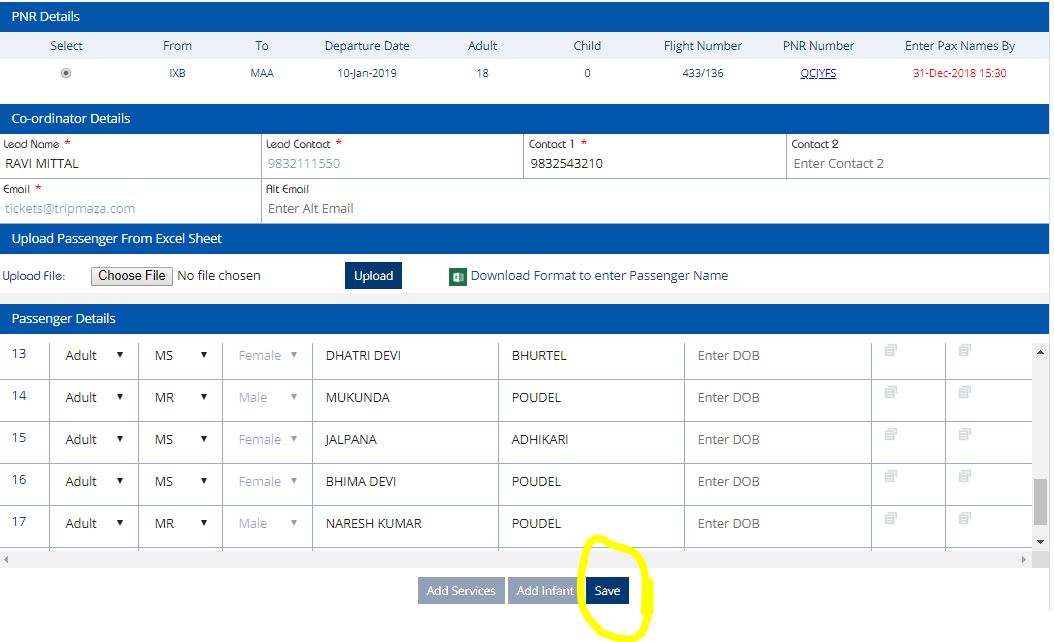
Name Updation in Indigo via Tools.
Step 1 - Login to Goindigo.in
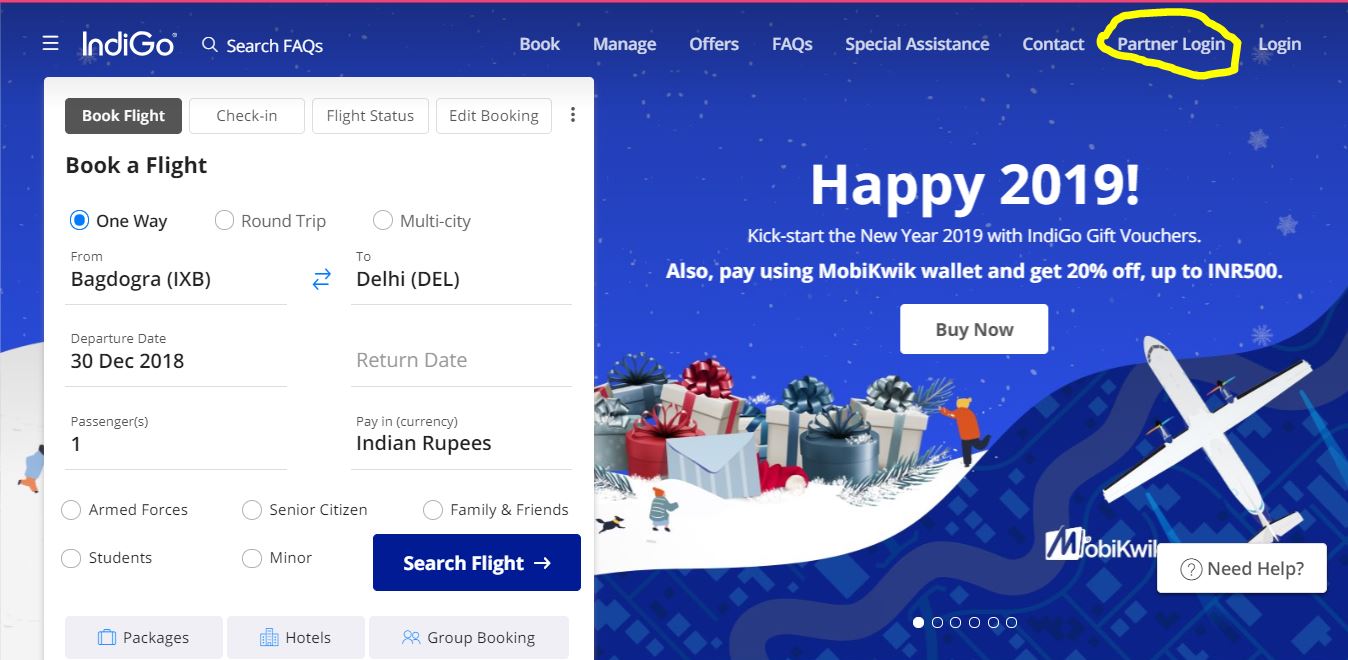
Step 2 -After Clicking Patner Login Enter Login Details to enter.
Step 3 -Go to my Booking after that Group Booking.

Step 4 -Login Group id for name update.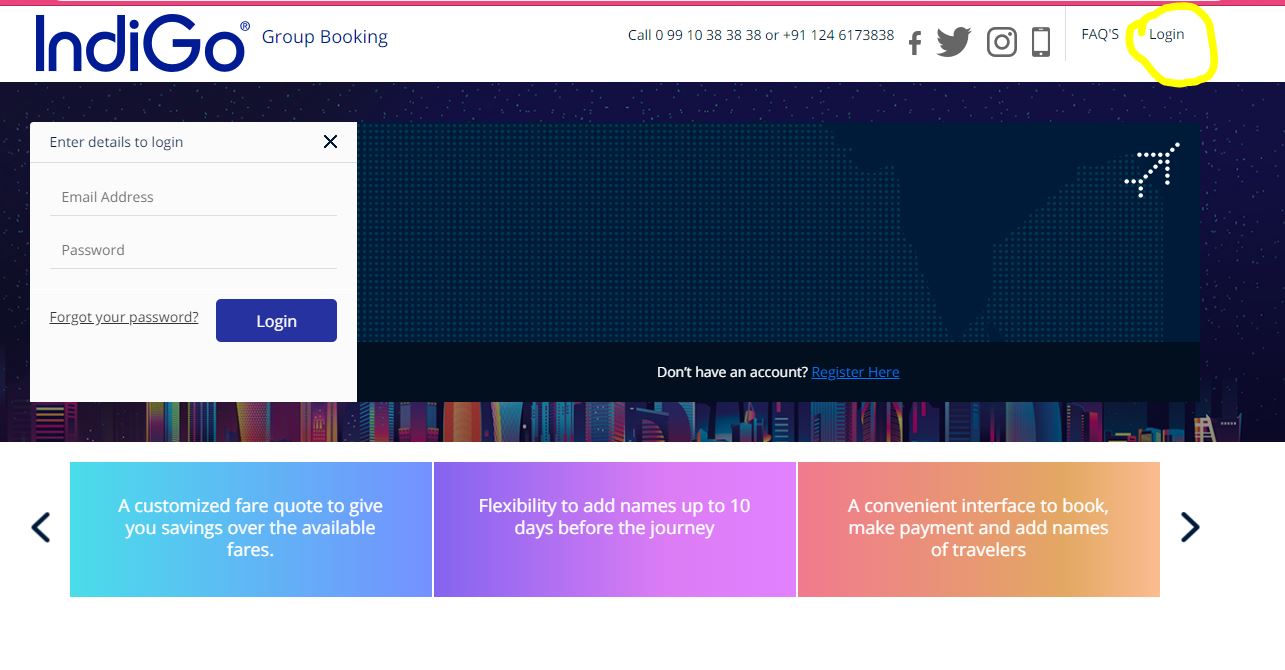
Step 5 - Enter your User id & Password.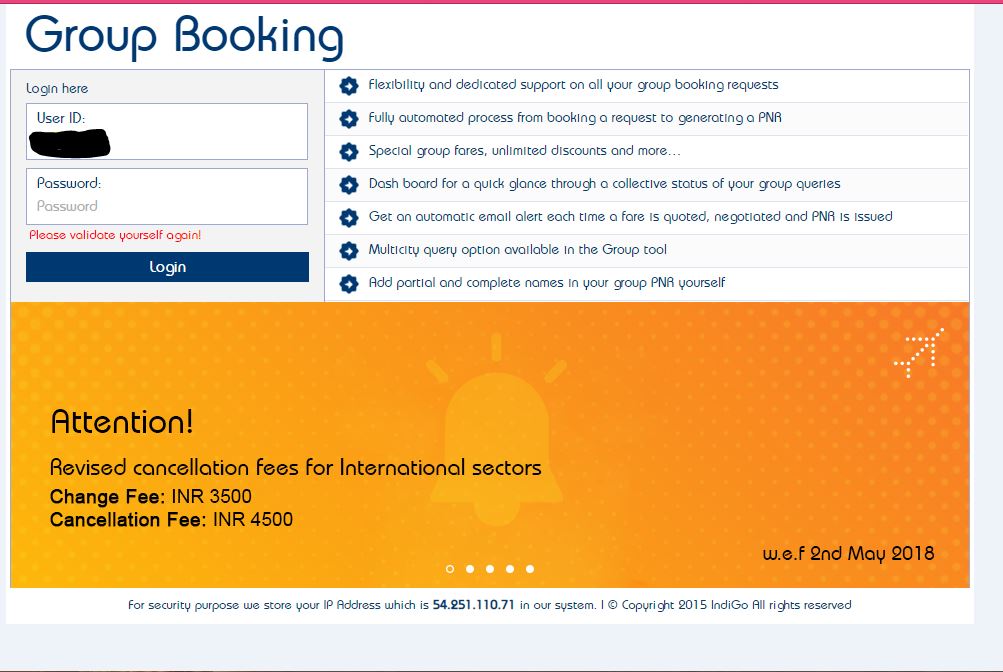
Step 6 - Go to Manage Bookings for entering the details.
Step 7 -Go to View/Edit Booking to enter request id or PNR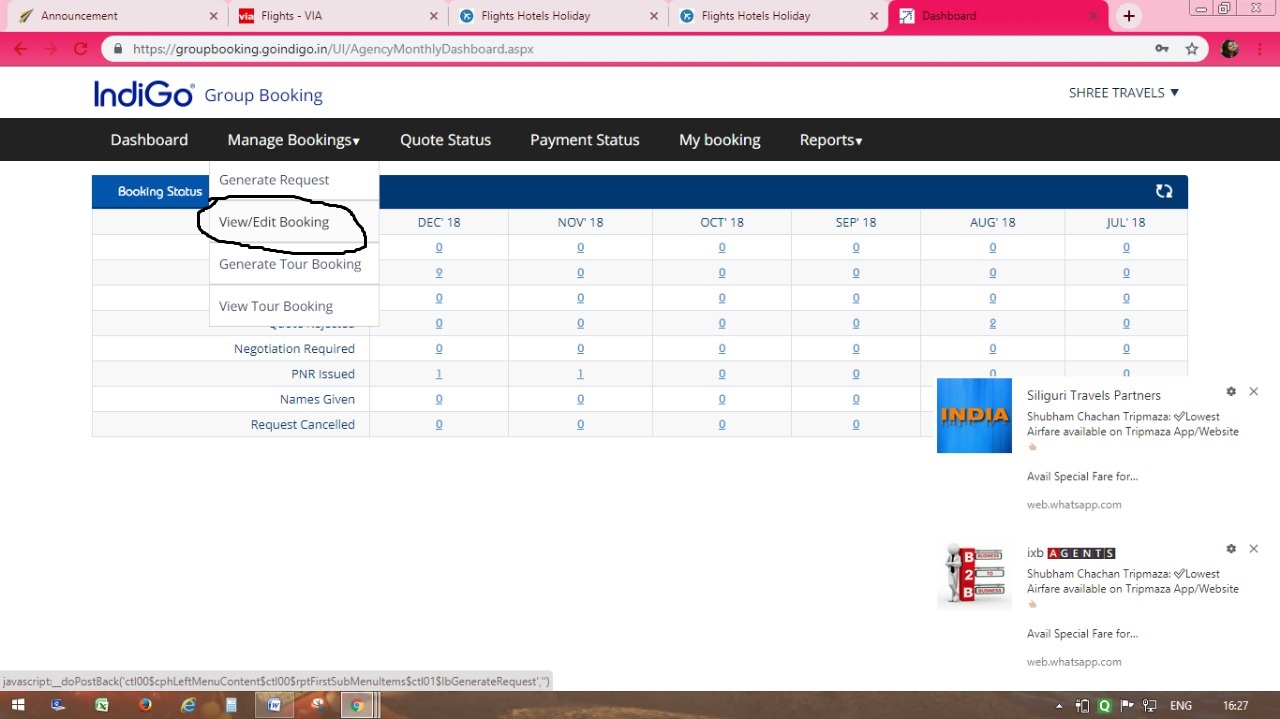
Step 8 -Kindly put Request id or PNR number to enter passenger details.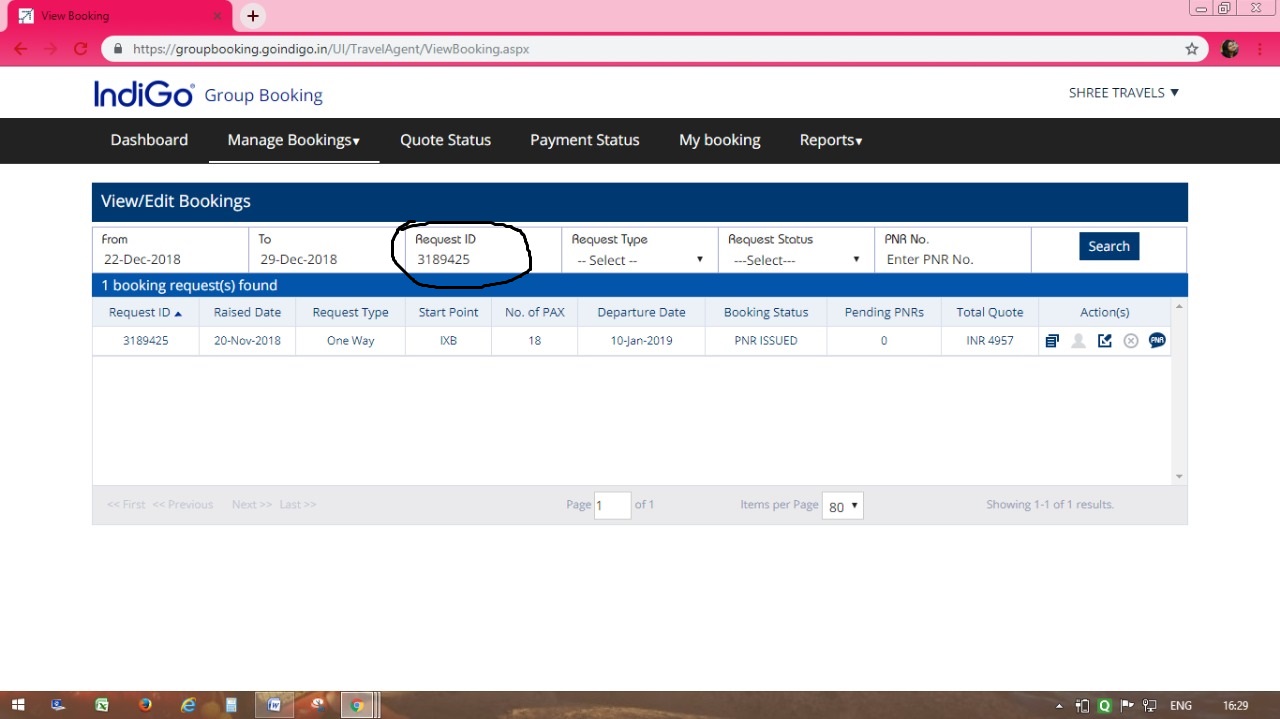
Step 10 -After Downloading and adding the names in excel file,save file and choose file to upload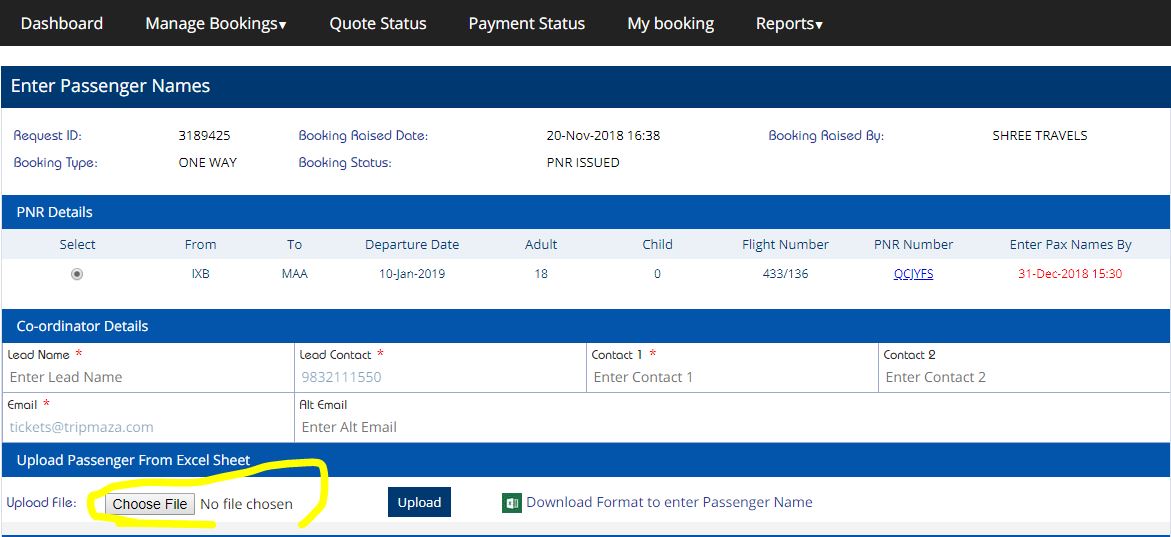
Step 11 - Upload the names & Cross Check the details Properly without any mistake.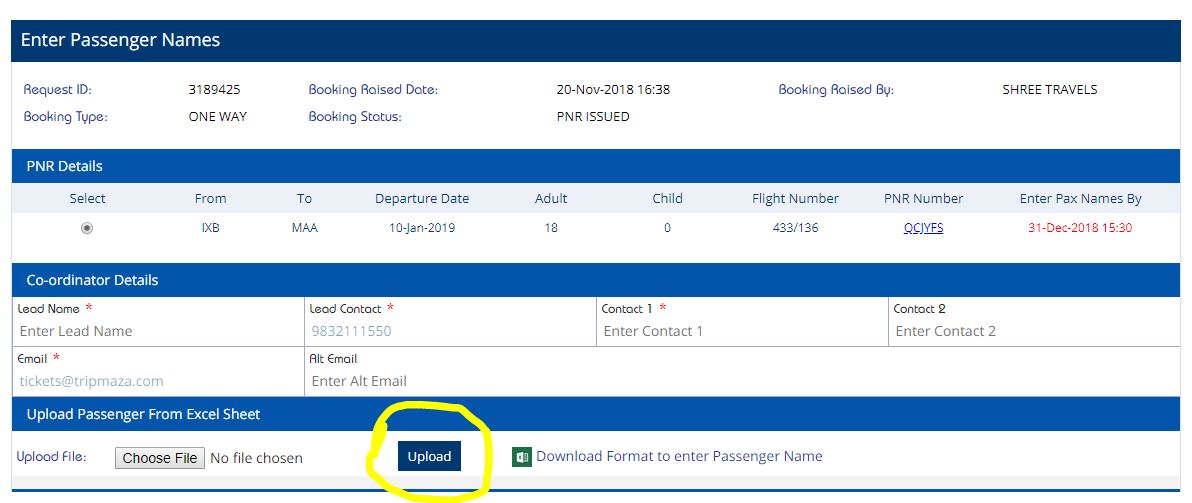
Step 12 -After Uploading the names,kindly save the details and retrieve the PNR if the names updated correctly or not.